Stripes
March 12, 2025
A tale of three apps and two patterns
App #1: Resolver
Any database query in a single scan
When you scan the QR Card shown below, your device converts the QR Code into this URL: https://ivantohelpyou.pythonanywhere.com/qr?inv=017406&key=1281949928.
Your browser opens a page on a self-hosted domain (or subdomain) that processes the request and forwards it to a Power Automate flow which verifies the request, looks up the row along with related tables, and includes that data in the HTML page that renders in your browser.
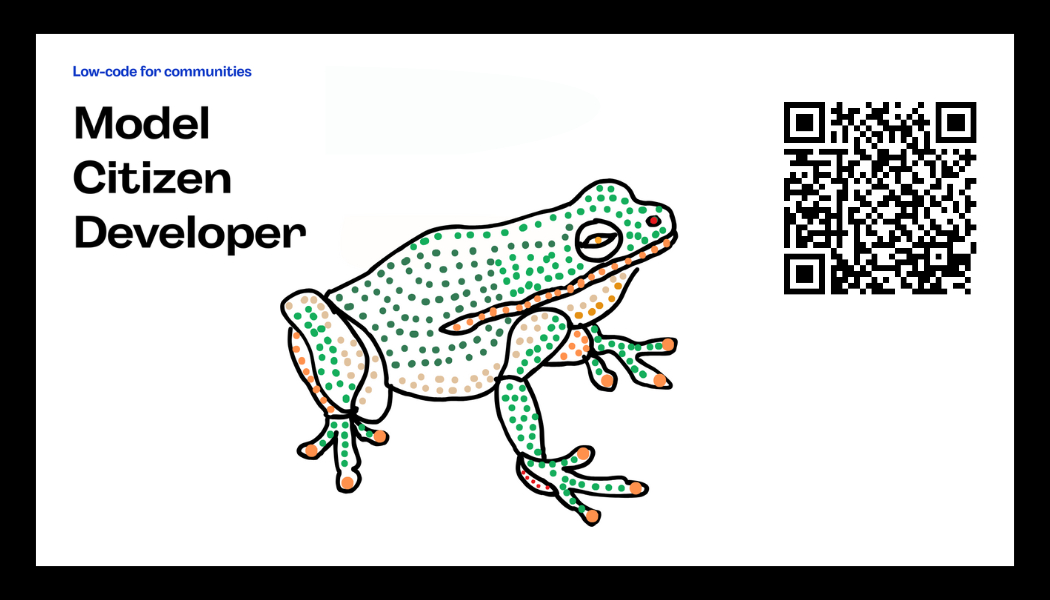
Here's a QR Card linking to an index of this newsletter
App #2: Ticketer
A single image repeated on multiple QR Cards
Think of it like printing tickets.
Ticketer turns a single image showing a static QR Code into a collection of images with dynamic QR codes.
With Ticketer, you can create multiples of a template, each copy different only in having a new QR Code pointing wherever you like.
App #3: Deck Builder
A deck of cards, each linking to a custom, data-driven page.
Turn multiple templates into a cohesive deck.
Start with your own design. Create as many templates as you like. You can even populate the templates with text data from a spreadsheet or CSV file.
Then, through a visual interface, map card types to database records. Each illustration or card color can map independently to a different content element.
Once the mappings have been set, press a button.
The end result is a full deck of QR Cards in a print-ready PDF.
Deck Builder makes it super-simple for you to create your own decks, using your own images and pointing to your own data.
Patterns with Power Platform and Python
The solution described above uses two distinct patterns for integrating Python code into a Power Platform solution.
Pattern "PyPP": Python calling Power Platform
Resolver (App #1 described above) works through a simple Python web server using the Flask microframework to send synchronous requests to Power Automate.
Synchronous means the web server makes a request and waits around for an answer. Asynchronous ("async") web servers make a request and then are free to do something else until the reply is ready. Async is also useful when chatting with an LLM, as your code can retrieve and display words as soon as they're ready, rather than having to wait for an entire answer.
The big difference with this pattern is that I can write Python code before and after the Power Automate call. That means any module, library, or framework without limitation, which opens up some very interesting possibilities.
For example: Flask has an asynchronous counterpart called Quart (as mentioned in the first session of the Microsoft Reactor Python + AI series). And by adding async, I can bring in LLMs wherever and however I like.
Pattern "PoPPY": Power Platform calling Python
The second method is the more traditional approach, embedding pro-code widgets within a low-code platform.
Power Platform developers have several methods for embedding code into applications, including custom APIs, Dataverse low-code plug-ins, and Azure Functions.
For Ticketer (App #2), I created an Azure Function App controlled by a Power Automate flow triggered by Deck Builder (App #3). It works nicely, but it did take a fair bit of setup: VS Code, Azure App Service, Azure Key Vaults, Bicep scripts, and environment variables in Power Platform.
Alternating patterns
If I were working for an enterprise, the second pattern would be the way to go. Power Platform is enterprise software, after all. If you're an enterprise, you need that higher level of control and auditability.
But as it happens, I'm working on my own, trying to invent something useful for people, and for that I'll use all the tools at my disposal.
And if that means going back and forth between one thing and another, then that's how I'll earn my stripes.