
Using Flask and Power Automate to Host a Web Page/Web Application
March 5, 2025
Just asking: Is flasking multitasking?
When Matthew Devaney posted about using Power Automate Flow To Host A Web Page/Web Application (Jan 5, 2025), I immediately thought of something I needed to try.
Here's how the original solution works:
-
Trigger the Power Automate flow with a HTTP GET request. (You click a long, complicated link.)
-
The flow renders a web page with HTML and JavaScript using the Bootstrap framework and sends it to your web browser. (You see a contact form.)
-
Submitting the form sends the contents as a POST request to a second Power Automate flow. (You fill out the form.)
-
The second flow parses the contents of the form to create a new item in a SharePoint list. (Your details are added to my list.)
The main problem is that the URL link isn't very user-friendly. Also, when I'm calling a Power Automate flow, I want to include parameters.
Sure, that's simple enough from Power Apps or even Power Pages.
But what if I want to do this on my own website?
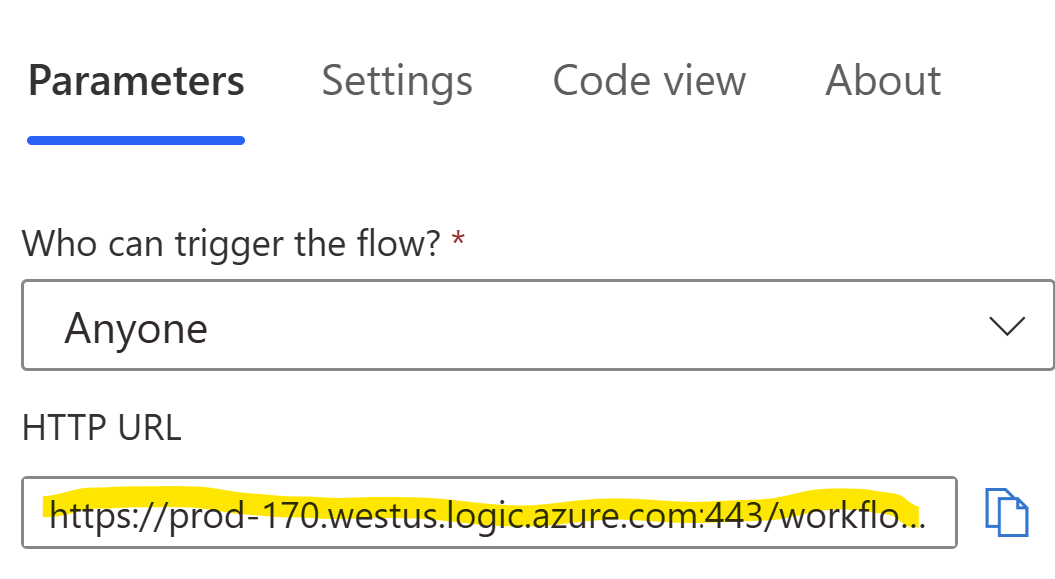
not very a catchy URL
That's why I came up with a way to put a Flask front-end on the Power Automate web page flow, with:
-
A super-simple Flask app
-
My own domain instead of a messy URL
-
Pre-processing of query parameters
-
Sending query parameters from the web page to the flow
It's a working contact form that collects information in SharePoint. (Note: If you need to reach me with the usual temptations of riches and glory, please employ the usual channels.)
https://ivantohelpyou.pythonanywhere.com?id=123&code=1006
# id: can be any integer. Future implementation will retrieve invoice records
# code: must be 1006 for this form to work. Intent is to save a random number with each invoice for validation.
The front-end logic is built using Flask and deployed on PythonAnywhere.
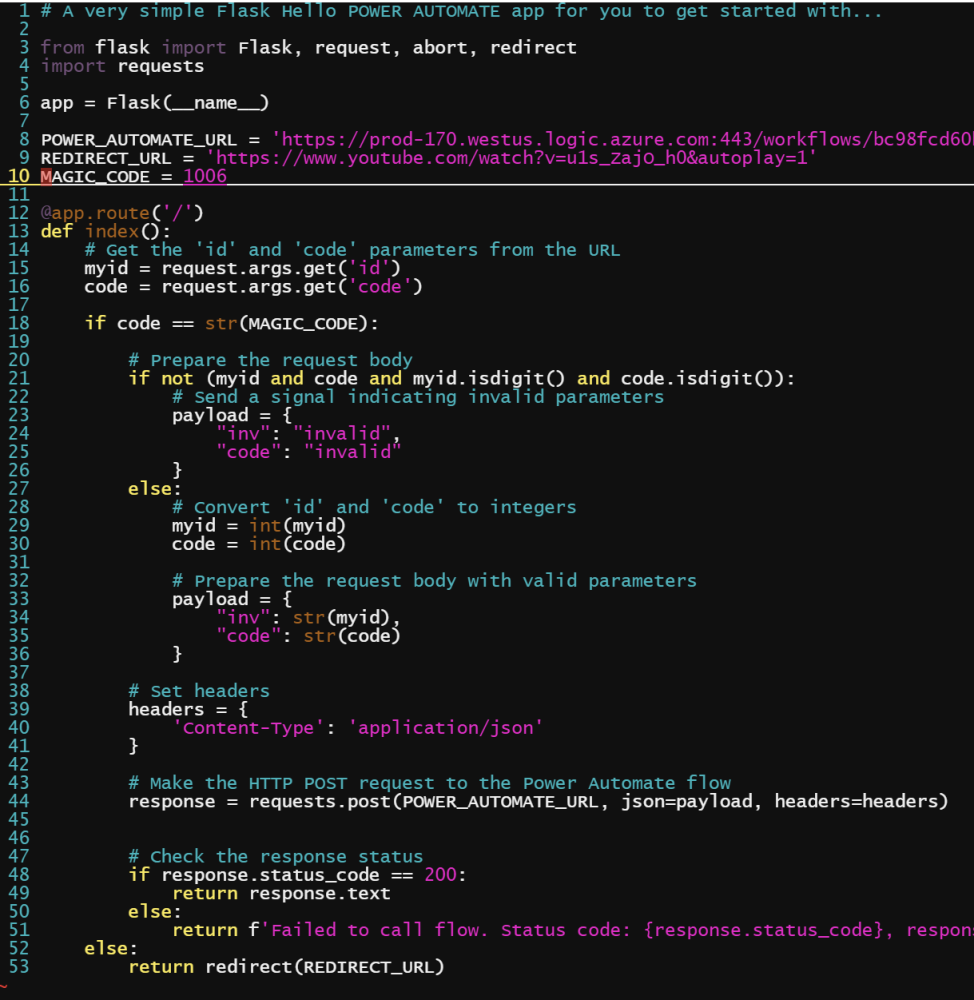
Flask app
Here's what the Python code does:
-
Processes requests to the root ("/") of the site.
-
Gets the expected query parameters id and code
-
If the code is correct, continue. Otherwise, redirect as appropriate.
-
Make sure the query parameters are integers; if not, change to "invalid"
-
Send query parameters to the first Power Automate flow (HTTP POST) to render the form.
-
From there the second flow works just like before, posting the form contents to a SharePoint list and displaying a success message.
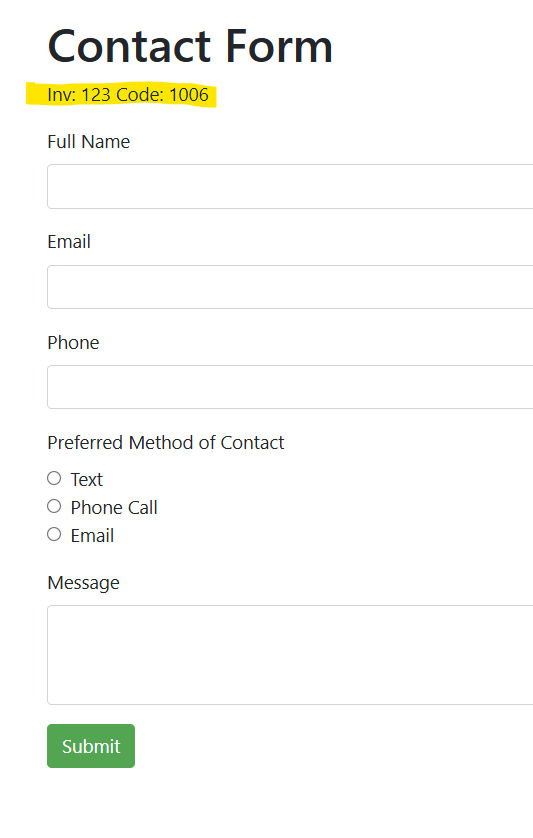
Just a simple contact form
Is it kosher?
In case you want to try it yourself, I've provided code for the flask app below. Use at your own risk.
If you want to try it with PythonAnywhere, you'll need to have a paid plan ($5/mo and up) to link to "allowlisted" sites, such as the Power Automate URLs pointing to Logic Apps on Azure. You also need to set up a virtualenv to import requests, but you probably knew that already.
Or you can keep it in the Azure family via Quickstart: Deploy a Python (Django, Flask, or FastAPI) web app to Azure App Service. That would be the way to go if EntraID Managed Identity and other Azure resources are important to you.
And then there's Power Pages, especially if you're fine with the additional licensing cost: $75 per month for 500 anonymous users, or $200 per month for 100 authenticated users.
I prefer $5 per month.
My big question for the Microsoft experts: How far can I take this from a licensing perspective?
I've become aware of the concept of multiplexing, which, broadly defined, means that you cannot avoid licensing restrictions through technical means.
For instance, if instead of buying individual licenses for each user, you spin up a virtual machine (VM) running Power Apps and share cloud access to that VM with everyone in the company, that's multiplexing.
Or if you use Premium flows in Power Automate to access data stored in Dataverse, anyone using that flow will need a license but only if it's made available through an automated process.
By contrast, if I were to manually download something from Dataverse and manually email it to a colleague, that's fine because there's a licensed individual in the middle. (Such are the jobs of the future.)
It all reminds me of the ritual purity laws in Leviticus. You can't just walk into the temple, obtain a blessing, and walk away. There are rules to follow. Sacrifices to be made.
In the case of my Flask-to-Power-Automate-to-SharePoint app, the data goes in, which I believe is perfectly fine. The user provides data and Power Automate adds it to a SharePoint list for my exclusive use. That's acceptable.
Now, if the data were to go out, with the selected contents of Dataverse tables being sent to any random anonymous user holding the right pair of numbers, well, that might be a seahorse of a different color. Ritually impure. Lacking scales and fins. An abomination, even.
But super simple, see what I mean?
from flask import Flask, request, redirect
import requests
app = Flask(__name__)
POWER_AUTOMATE_URL = 'https://prod-xxx.westus.logic.azure.com:443/workflows/<your flow details here>'
REDIRECT_URL = '<destination link if magic code is incorrect>'
MAGIC_CODE = 1006
@app.route('/')
def index():
# Get the 'id' and 'code' parameters from the URL
myid = request.args.get('id')
code = request.args.get('code')
if code == str(MAGIC_CODE):
# Prepare the request body
if not (myid and code and myid.isdigit() and code.isdigit()):
# invalid parameters
payload = {
"inv": "invalid",
"code": "invalid"
}
else:
# Convert 'id' and 'code' to integers
myid = int(myid)
code = int(code)
# Prepare the request body with valid parameters
payload = {
"inv": str(myid),
"code": str(code)
}
# Set headers
headers = {
'Content-Type': 'application/json'
}
# Make the HTTP POST request to the Power Automate flow
response = requests.post(POWER_AUTOMATE_URL, json=payload, headers=headers)
# Check the response status
if response.status_code == 200:
return response.text
else:
return f'Failed to call flow. Status code: {response.status_code}, response: {re
sponse.text}'
else:
return redirect(REDIRECT_URL)