
Much ADO: Trying Azure DevOps for Power Platform Solution Migration
January 22, 2025
To wrap up my DevOps trilogy, I took some time to figure out how to get started with Power Platform Build Tools in Azure DevOps.
Following 10 Lessons Learned About DevOps in Power Platform (part 1), I shared Project Grasshopper: DIY Pipelines with PowerShell and PAC CLI (part 2), a method for moving solutions from one development environment to another.
And as discussed earlier, my method is not the recommended approach.
The recommended approach:
First, keep it simple and don't migrate your solutions the way I do. (I mean, you can try, but you probably shouldn't.)
Second, DIY PowerShell scripting is a bit of a hack, especially compared to the professional tooling of Azure DevOps. Be a professional.
Third, try Github Actions instead.
At this point, I'd like to thank Tiyani Magomani for Power Platform Solution Deployment Using Azure DevOps | CI/CD Tutorial for Beginners, his essential walkthrough on YouTube showing me exactly how to set things up.
For those of you seeking to do the same, I'm pleased to share my notes, a bit of extra context to help you along the way.
Entra: App registrations and service principals
What are app registrations and service principals?
Using an analogy, it's like visiting the DMV for vehicle registration and license plates. Except you need a separate set of plates in every state. Also, depending on what kind of license you personally carry, you may be restricted as to where and when you can drive that vehicle. On second thought, forget the analogy.
Let's try database terms. Think of it as an App registration table having a 1:M relationship to a Service principal table. Every app registration has at least one service principal in the home tenant, and at least one for each additional tenant in which it needs to operate. In turn, each service principal may be associated with owners, roles and administrators, users and groups. Within each tenant, you can set up multiple service principals having different permissions for different roles or groups.
Once you've thought about the relationships for a minute, go ahead and create the registration: In your home tenant in the Azure portal, go to App registrations and register a new single-tenant application. Copy the Application (client) ID and the Directory (tenant) ID. Then, go to Certificates & secrets to create a new client secret. Copy the Secret ID and the Value.
Now if you're wondering why the client secret is associated with the app registration rather than with the service principal to which it rightly belongs, it seems to be because the Azure portal is hiding some of that complexity on your behalf. And whatever you do, don't go looking for "service principal" in Azure, because that takes you to Enterprise Applications, which is also where you'll end up if you click on the link for "Managed application in local directory" on the App registration page. You'll end up like me, lost in semantic confusion, searching for explanatory resources such as the ones listed here.
Microsoft Learn: Read about application objects and service principals
Microsoft ON.NET: service principals and app registration
(See also managed identities, which you may be interested to know are service principals created without app registrations.)
PPAC: App users and business units
When I arrived at the "Create a new app user" screen, Power Platform Admin Center (PPAC) insisted that I provide a business unit. There were no default options visible, and I didn't yet realize that you could just type "org" and "org123xyz456" would magically pop up. And so I went back to Settings and created a "DevOps" business unit under the default organization.
Wait, what's a business unit?
Each Power Platform environment has an organization name, which is set when the environment is provisioned. You can change it, if you like, using PPAC.
What's more interesting is that with the (environment-level) organization as the root parent, you can create an entire hierarchy of business units to represent your departments and divisions. Each business unit may be associated with different security roles.
Then, you can assign each user to one (and only one) business unit, getting privileges and access levels accordingly.
But here's the catch -- you'll have to create the business units and security roles by hand, using PPAC for each environment. That's not something supported by the command-line tool pac cli.
You can PPAC but you can't pac. Capisce?
And you can use pac to assign users and roles to an existing business unit, so that helps. Even so, we haven't quite reached IaC-level tooling yet in Power Platform.
Microsoft Learn: Read about business units
ADO: Power Platform Build Tools, Parallelism, and Agent Pools
I was super-excited to try out Azure DevOps.
As an initial project, I wanted to build a pipeline that replicates what my PowerShell scripts already do: Export solutions from source development environments and then upload those same solutions into target development environments.
But then I hit my first blocker: A question asking, "Where is your code?"
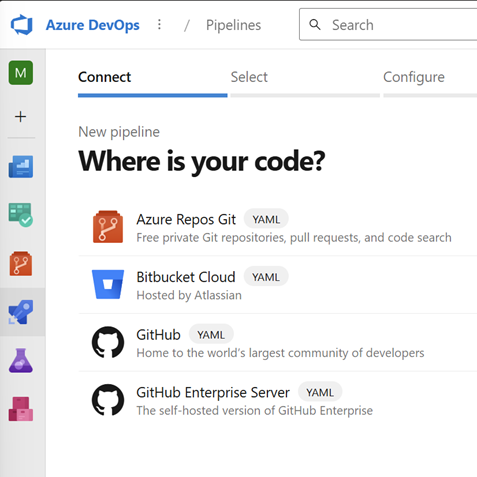
you tell me
Umm, it's in Power Platform?
Yeah, sure, I know how to create a GitHub repo containing my collection of solutions, the same ones that I downloaded using a PowerShell script, that's easy.
But what if I hadn't written that script? Where's the front door to Azure DevOps for the low-code community?
Anyway, I forged ahead by creating an empty repository in Azure Repos Git.
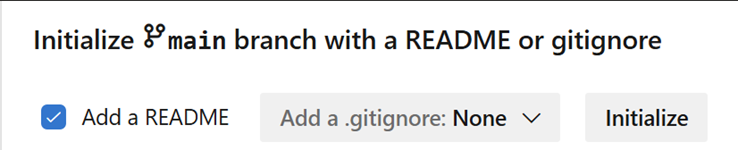
okay np
And then I created my first Pipeline.
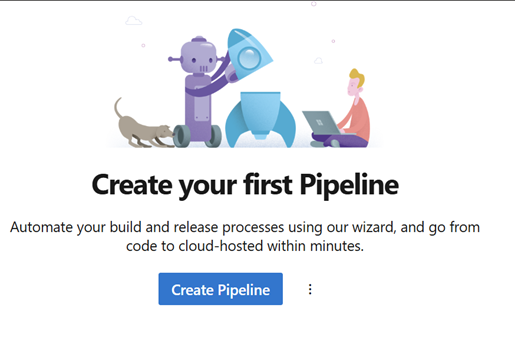
chaos dog!
So far, so good. Let's configure with a starter pipeline!
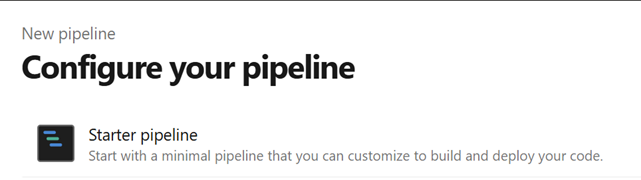
obviously
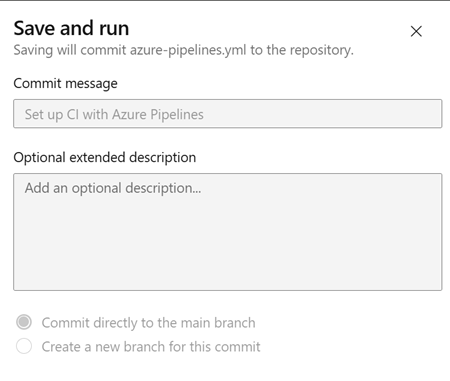
almost there...
Huh?!?!
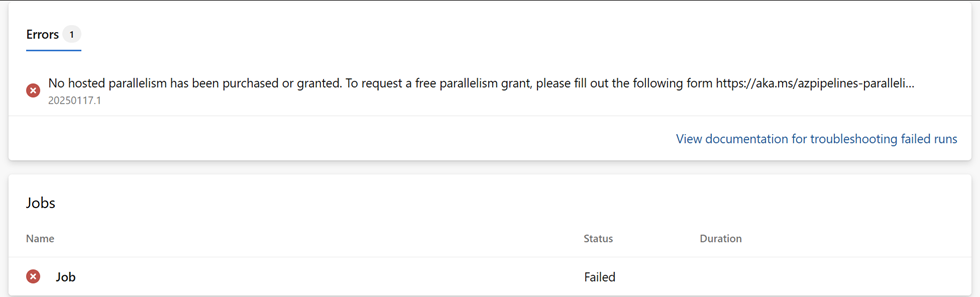
Parallelism ain't free and freedom ain't parallel.
Yo, Clippy, what's up?
It looks like you're encountering an issue with parallelism in Azure Pipelines. Azure DevOps requires you to have parallelism granted to run pipelines.
I had three options: One, fill out a Request Free Parallelism form and then wait a week; two, purchase Parallel jobs through my Azure subscription; or three, set up an agent pool consisting of a single agent running as a service on my PC, which connects to Azure DevOps using a Personal Access Token.
Once again, thanks to Tiyani365 for the walk-through, which includes the useful advice to simplify the interface with the switch to Azure DevOps "Classic" mode.
With a self-hosted agent, I was able to start a pipeline from Azure DevOps that relies upon my computer to perform a sequence of actions, defined as an agent job, that perform certain actions on specified Power Platform environments. (Kinda like what I did with PowerShell, but with more moving parts.)
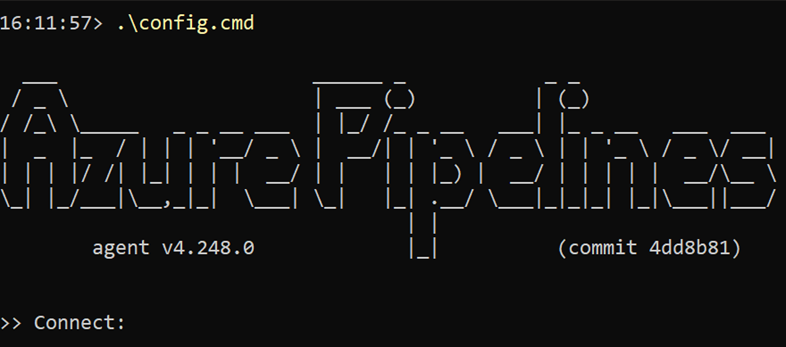
This is making the PowerShell approach look better
With Azure DevOps, I successfully created a test job that installs Power Platform Build Tools, pings my environment with a WhoAmI, and then exports a single solution.
That's good enough for now. I think I'll come back to Azure DevOps when I really need it.
Or skip Azure DevOps entirely and go directly to GitHub Actions. In fact, that's the recommended approach, at least according to Mastering DevOps on Microsoft Power Platform by Uroš Kastelic and József Zoltán Vadkerti (Packt Publishing, 2024):
A frequently asked question in the industry is whether Azure DevOps Services or GitHub is the future. The Microsoft strategy at the time of writing is to recommend GitHub for greenfield organizations -- organizations who are just starting their DevOps journeys. If an organization already uses Azure DevOps, then Microsoft recommends introducing GitHub only in areas in which it brings a compelling advantage. This compelling advantage is now GitHub Copilot. In the last few years, we have seen that the investment in GitHub features has been 5-10 times greater than in Azure DevOps Services.
Guess I should read the rest of the book.