
10 Lessons Learned About DevOps in Power Platform
January 8, 2025
Environments, solutions, and pipelines, oh my!
Over the last week, I've migrated my QR Cards app from an all-in-one solution in a development environment into layered solutions using Dev/Test/Prod environments.
Here's what I've learned:
1. Developer environments are launchpads. The Developer Plan is perfect for building and testing apps (to a point), but once you're thinking about deployment, it's time to step up to Power Apps Premium. Whether to assign security roles, deploy in a production environment, or use any of the features of Managed Environments, you'll need to buy a Premium license.
2. Pipelines are rockets. (Hey, it's right there in the icon.) Available with Managed Environments, Pipelines allow you to move solutions from one environment to another with just a few clicks. Beyond automated export/import, pipelines also include built-in validation, connection references, environment variables, deployment notes, versioning, and timed deployment. Don't go live without it.
3. Keep your developer environment out of pipelines. Once you go Premium, leave your starter-kit developer environment behind. Don't make it part of your production line by adding it to a pipeline. And here's a good, albeit lexically complex, reason: When you're configuring pipelines, each environment must be either a development environment (not be confused with the free developer environment) or a target environment. If you designate your developer environment as the development environment, it's locked in as your development environment, which means that you'll miss out on many of the Premium features of Managed Environments not available in developer environments.
4. Make sandboxes your new "Dev" environment. Since you cannot switch a developer environment into any other type, you'll need to export/import each distinct solution into separate sandbox environments. These sandboxes represent your new "Dev" environment (as in Dev-Test-Prod).
5. Set up security groups before you begin. Unlike developer environments, Sandboxes allow you to set up security groups for each environment. Even if you're the only member, it's a good idea to set up a separate security group for each environment. That way, you'll be ready to delegate when the time comes.
6. [SEE COMMENTS] Consider using solution layers, each with its own sandbox. Using solution layers, you can organize your solutions in a way that promotes reuse and customization. For example, my QR Cards solution currently uses about a dozen tables, a few apps, 20+ flows, and a website. Instead of cramming them all into a single mega-solution, I separated them into solutions for Base, Apps, and Sites. The Base solution contains all the tables and model-driven apps; the Apps solution includes apps and flows; and the Sites solution has Power Pages assets. These solutions are each in separate sandbox environments. This means if I want a separate version of the website, I can create a parallel Sites sandbox that shares the same underlying Base and Apps. Or, if I want to create new apps for a client, I can do so in a separate Apps sandbox with the same Base.
7. Put your connection references in a separate solution. I learned this the hard way. I was getting solution import errors with my connection references, and although I got it to work with the classic importer, this issue held me up. The simple fix was to create a separate Connections solution (inside of the Apps environment) as a solution layer between Base and Apps.
8. Use import-export between Dev sandboxes. Avoid pipelines when moving solution layers between sandboxes, for the same reason outlined above (see point #3). Pipelines are best used for Dev->Test->Prod. Keep your sandboxes designated as development environments, with Test and Prod as target environments.
9. Set up a host environment for pipelines. With so many environments, what's one more? Plus, with multiple Dev sandboxes making it unclear which one should drive the pipelines, it made sense to create a custom pipelines host. This deploys a Dynamics 365 app in a separate production environment. (Dynamics 365 license is not listed as a prerequisite, so the approach seems fine for Power Platform-only users.)
10. DevOps is slow and careful work. Often, a single action sets off a big operation behind the scenes that takes several minutes or longer. Resetting a sandbox, for example. This makes it harder to hack your way through to an answer. Take your time, think it through.
Screenshots
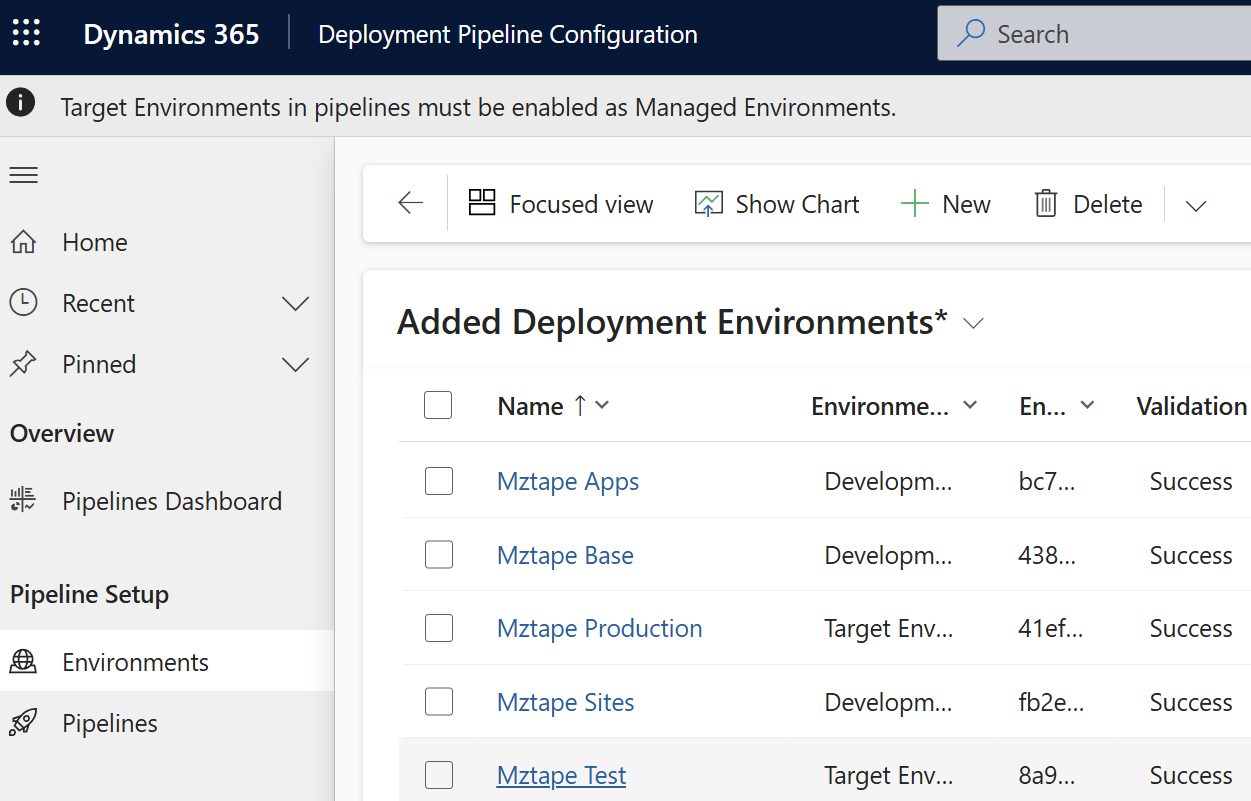
Deployment Configuration Tool in the
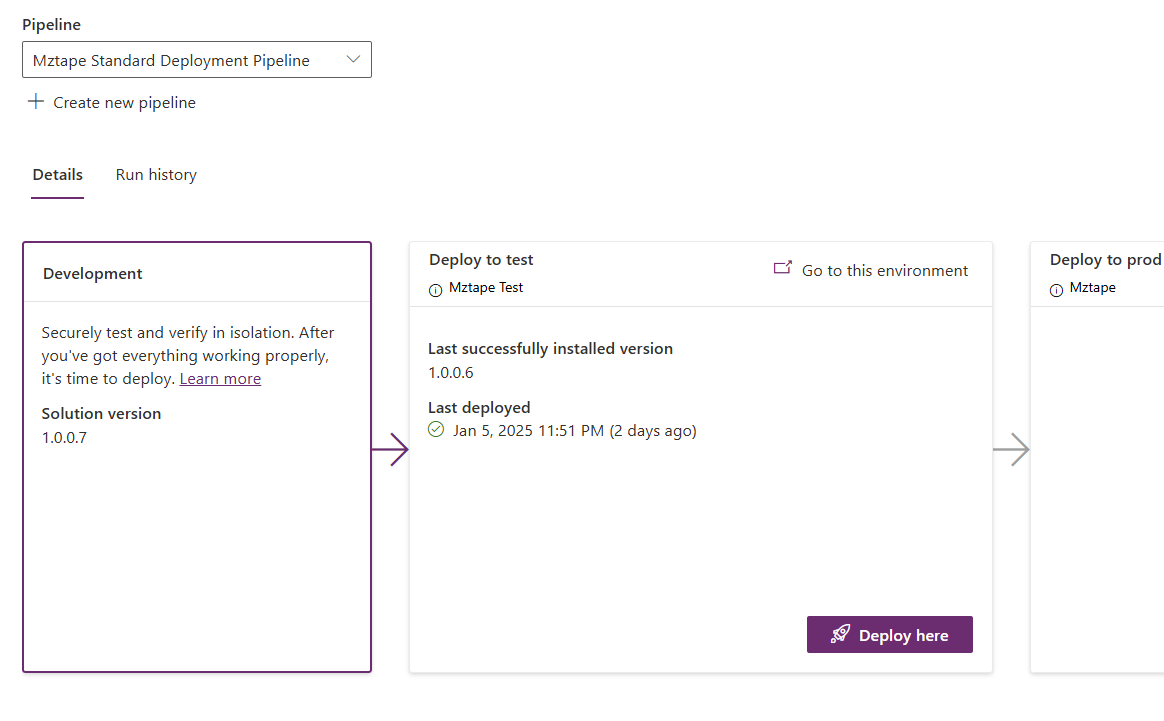
Solution pipeline connects
Are you looking to clean up your developer environments? Have your citizen developers gone ahead building custom solutions without a care in the world?
If so, let me know how I can help.
#OpenToWork #PL200 #FunctionalConsultant
Next up: dataflows and environment variables