How to read a clock
June 26, 2024
Every week, I've been writing about projects that would take months to build.
My goal is to quicken the pace.
With every post, a new deployment.
Fewer roadmaps, more release notes.
I'm getting there, but still need to pull some of the pieces together for full-stack development of something meaningful.
Power Platform gave me a head start. You can build impressive things quickly with Power Platform, but it's intended for "fusion development," citizen developers and pro developers, working together in harmony.
As a solo practitioner, I'm playing both roles.
Figuring out all the moving parts reminds me of the parable of the blind men and the elephant. Except I'm the blind man, and it's a herd of elephants, and they're running very fast, and when you catch up to one, it's a wooly mammoth.
A week to remember
In the past week, I completed one milestone and one proof-of-concept.
The milestone is that for my Convention City app, I deployed an Azure Function that creates QR codes without external dependencies.
And the proof of concept may be the most useless QR Code ever devised.
Milestone: Deployed an Azure Function to generate QR Codes
Previously, I had been using some random web API. (I wrote about this last week.) Now, it's under my control in a private function.
If you want to try creating an Azure Function yourself, go through the Quickstart.
Here are some notes:
1/ When you're creating your local project, instead of an ANONYMOUS function (as in the Quickstart), set the Authorization level to FUNCTION.
2/ The Quickstart function takes a query parameter text and outputs it to the screen as part of a string.
3/ After you deploy your function to Azure, look for it in the Azure Resources tab under your description
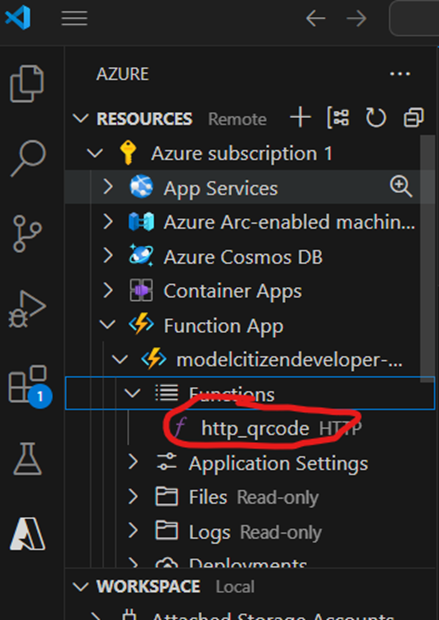
find your function
4/ Right-click and select "Copy function URL" and then paste that link into your browser.
5/ Examine the URL.
To the left of the "?" is the URI
https://<your -function-app>.azurewebsites.net/api/http_qrcode
To the right is the query parameter containing the key to your (non-anonymous) function:
code=<your function key>
6/ Test your function from your browser with that key, and then without that key, and then with some random string of characters. This should convince you that you have a function with a working key. But here's the thing -- when I tried using that key within a Power Automate flow, it didn't work! We need a different key.
7/ Go to your Azure portal. Home > Function App > your app > App Keys > Host Keys > default. Copy that key as your code, which you'll use in the next step.
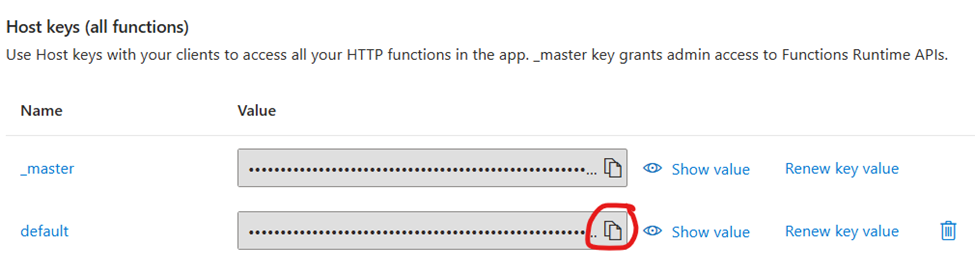
where did I put the key
8/ In Power Automate, create a flow with an HTTP action.
-
In the URI section, put the link to your function app.
-
For Queries, put code, and the default host key from the previous step.
-
Set the name query to the output from a prior step.
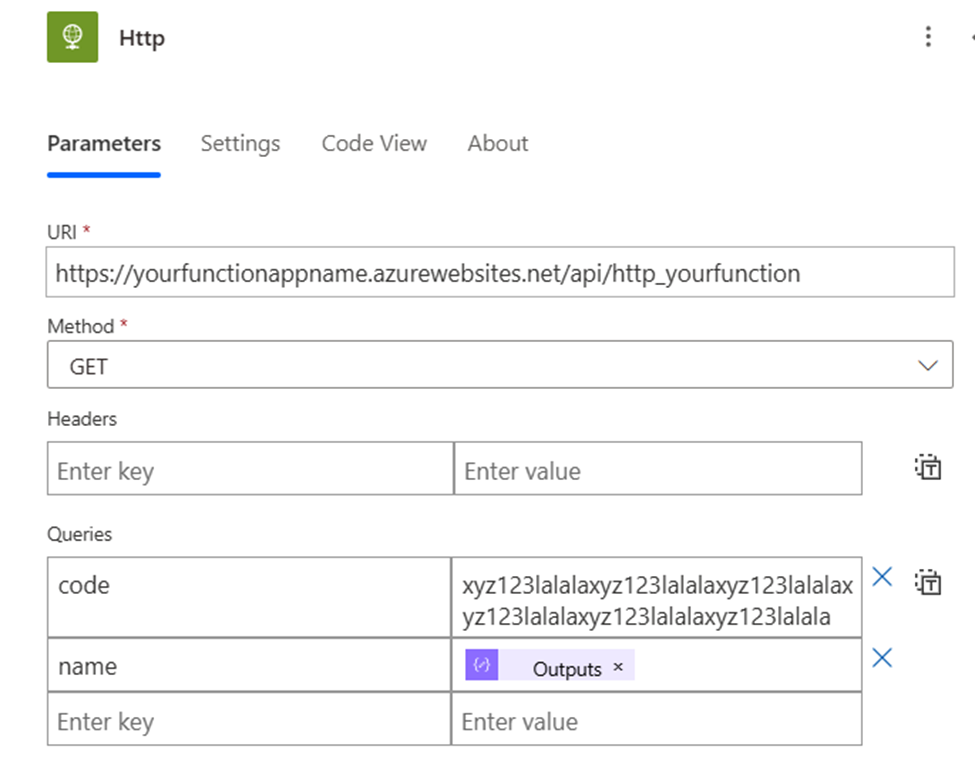
action!
9/ Test your flow. When you examine the run, check the inputs to the Http action, and the outputs. You're looking for Status code 200.
10/ Now go back to VSCode and do something interesting in Python. You'll probably want to import a Python library, and to do that, just add "import <library> to the top of your function_app.py file, and add the <library> name to requirements.txt.
Go ahead, nobody's watching, you can ask Copilot to write code for you. Test and repeat.
Proof of Concept: The QR Code Clock
Now that I'm paying the cloud computing bill for my QR Code generator function, it occurred to me that if I wanted to generate many QR Codes -- say thousands, or tens of thousands, or more -- then I would be well advised to do so on my own hardware. Even if it's a just a fraction of a cent per run, that could add up.
That's why I figured out how to run Python locally to generate this GIF, which cycles through 60 QR codes, one per second. These links resolve to a test Power Pages site that uses Liquid to read the query parameter (as described here).
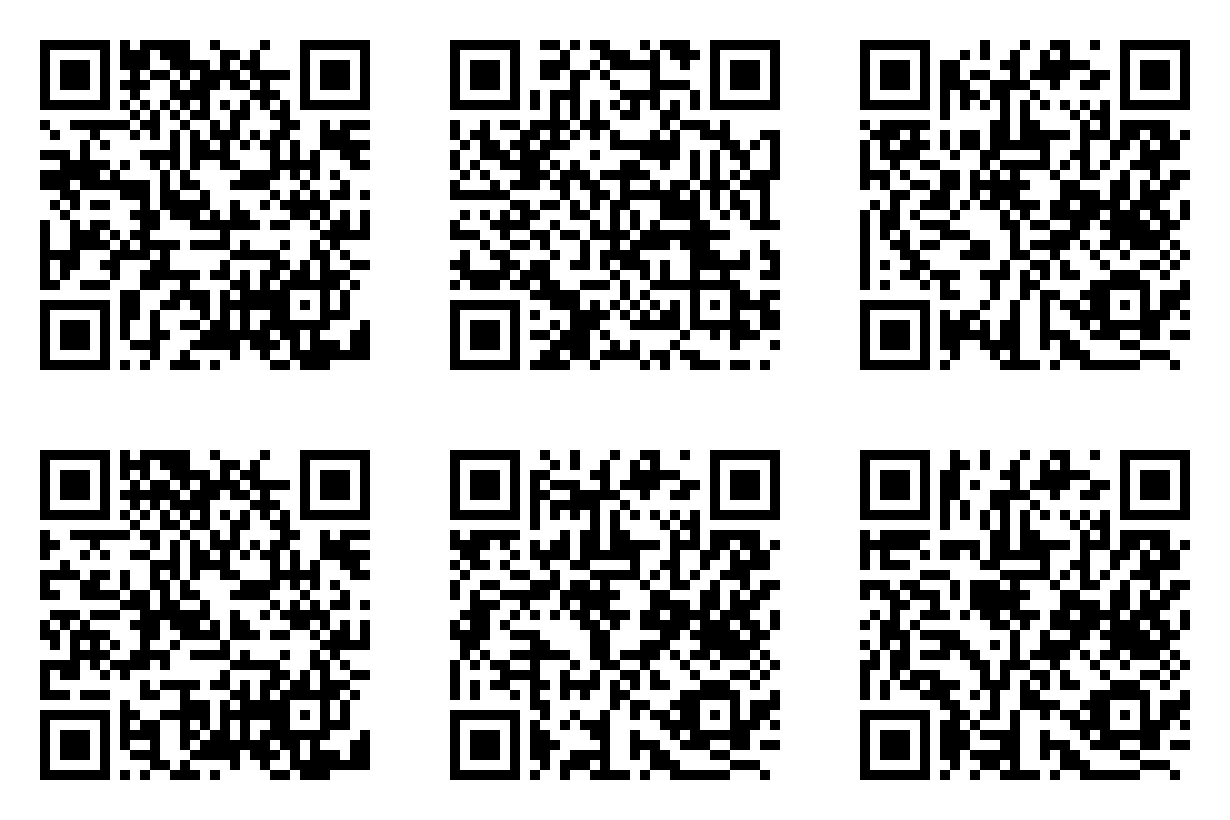
Second Hand QR Codes
I have other versions that show one QR code per minute for an entire day (1440 codes) and one per second for an hour (3600 codes). I'm envisioning a mega-GIF that covers all the seconds in a day (86,400 codes). A different QR Code for person on Earth! For every star in the sky! For every second from now until the heat death of the universe!
"Do you know what time it is?"
"Sure, just scan this code."
Think of the possibilities!
And if you come up with any, let me know.