Eight Days in the Dataverse
February 28, 2024
PLUS: 6 lessons learned about relational and hierarchical tables in Power Apps
Here's what I built -- and learned -- in eight days.
(Read last week's newsletter post to learn more about the Certification Skills Explorer project.)
Tasks completed
✅ Wrote Python code to extract over 4,000 skills associated with 50 active certifications.
✅ Created three parallel data structures for Skills: flat-file, relational, and hierarchical.
✅ Transformed flat-file data into relational and hierarchical structures using Power Query.
✅ Loaded 10,000 records into eight Dataverse tables.
✅ Configured menus, views, and forms in the Power Apps model-driven app.
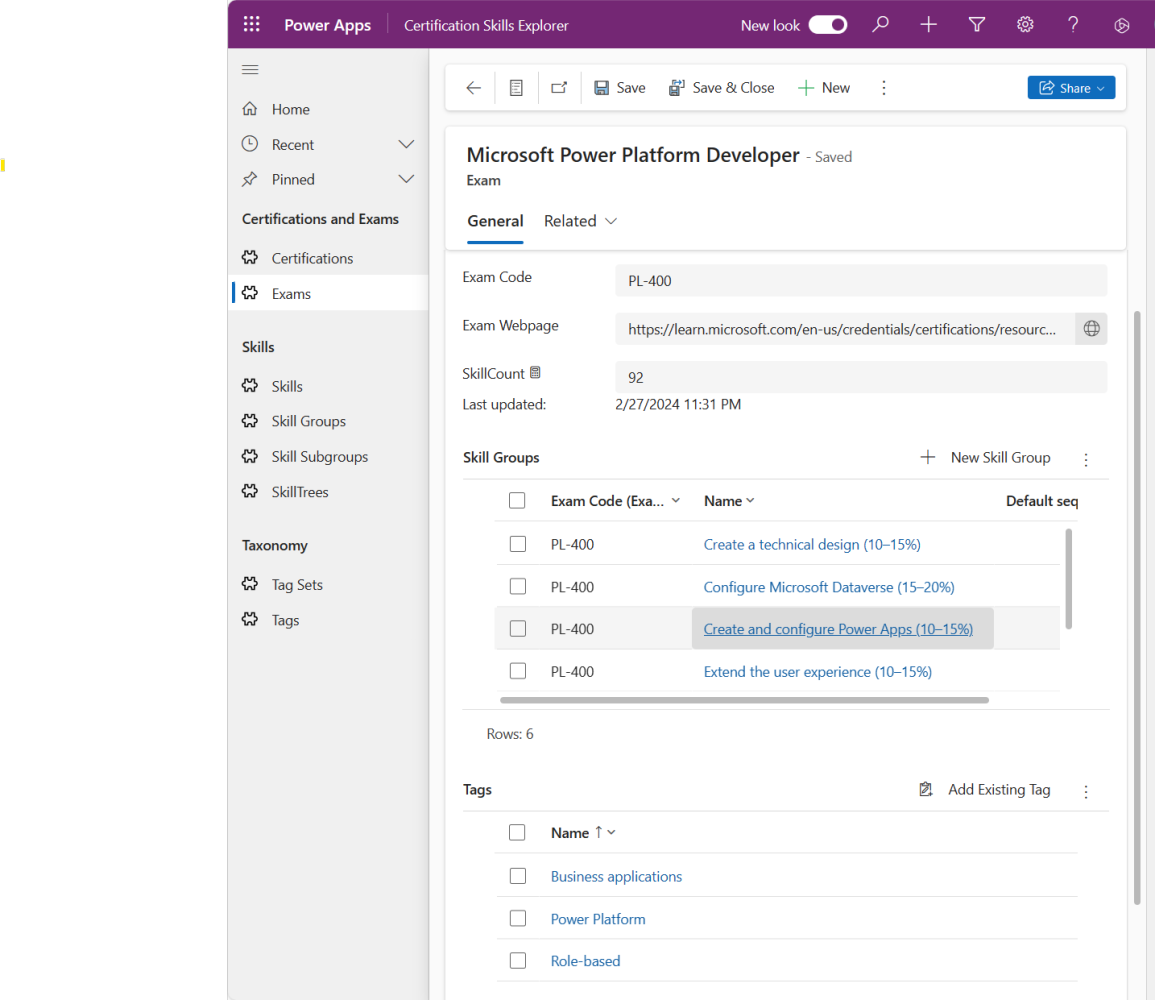
Exam detail with Certification Skills Explorer,
Lessons Learned
Lesson Learned #1: Power Query is awesome.
Do you want to see what you're doing, understand your data transformations, and avoid having to write cryptic code for table joins?
If so, learn Power Query.
In the main screen, you see exactly how you've transformed your data, and the side panel shows you each step you took to get there.
It's the essence of the low-code concept, taking powerful action with menus and dialog boxes that would otherwise take pages of code.
Lesson Learned #2: Save the canvas for later.
I had originally thought to do a prototype using Power Apps canvas apps, but it's way too early for that.
For the uninitiated, Power Apps has three app flavors: canvas apps (interfaces designed down to the pixel); model-driven apps (automatically generated based on your tables and associated data), and portal apps (which are canvas apps for external users).
Canvas apps make it easy to build galleries, forms, and interfaces using your data. But until the data structure has been solidified, don't bother. You'll just end up doing workarounds in code that would be better handled either in the data structure or through a back-end data transformation with Power Query (along with, if you dare, Power Automate).
Lesson Learned #3: Normalize your database.
A long time ago at Carnegie Mellon as an Information Systems major (and a Happy 40th Birthday to the IS department, by the way), there was a strong injunction against being "prematurely physical." We weren't authorized to start coding until we had spent about a month writing punctuation-perfect reports. Training for the real world, you see.
My, how things have changed in our Agile times.
Here's how my data design changed over the last week:
My initial design had... a Certification table
...but then I realized... Some Certifications have more than one Exam!
...and so I did this: Added Exam table, allowing each Certification to have more than one exam.
My initial design had... A Choice column with hard-coded values (i.e. Azure, Dynamics, Power Platform, etc.) for each Certification.
...but then I realized... Microsoft had just switched up its taxonomy and would likely do so again!
...and so I did this: Added Tags and Tag Set tables, with a many-to-many relationship between Tags and Exams. Exams are now classified by default to areas of expertise and knowledge tiers. And down the line, say hello to user-generated content!
My initial design had... Skills table with separate columns for skill group and subgroup.
...but then I realized... With the average Exam having about 80 Skills, the interface would soon get unwieldy.
...and so I did this: Normalized the skill group and subgroup columns into Skill Group and Skill Subgroup tables.
In the old days, it wouldn't have been worth the effort to make any of these changes. I would have just gone ahead with the two-table version and put custom logic in the app.
With Power Apps, you just add a new table and set the relationships, and your model-driven app is automatically rebuilt with customizable forms, views, and lookup tables. Done and done!
Lesson Learned #4: Know your imports and exports.
If you're planning to iterate with your data model, get very comfortable with Data import wizard, Imports, and Bulk deletion, the Data Management tools in the Environment Settings. Once you know your way around these tools, you can be very flexible with table structures.
Instead of having to transform data inside of the live database, you can take it outside: Export, transform using Power Query, and reimport.
Lesson Learned #5: Watch out for duplicates.
There's no guarantee that each skill or skill grouping will be exclusive to any given exam. For example, both MB-230 (Dynamics 365 Customer Service) and MB-240 (Dynamics 365 Field Service) include "Implement Microsoft Power Platform" as a key objective.
But they're not the same!
The first focuses on Copilot Studio, and the second on Power Pages. That means you can't just rely on Name as your primary key.
That's easy enough to manage using composite keys -- but what if you want to create a skill hierarchy?
Lesson Learned #6: Resolve the duplicates.
Dataverse includes an option for a hierarchical table, where each row may reference another row. I generated the records for a SkillTree hierarchical table using (what else?) Power Query.
The hard part was dealing with the duplicates, but I came up with a simple fix for now (and a less-simple fix for later). I'll save that discussion for another time.
For now, check out the top of this post for a screenshot of the outline/tree view -- which was automatically generated by Dataverse.
Note that unlike a three-table relational structure for skills, in a hierarchy there's no practical limit to the number of levels we can build.
If it's turtles all the way down, hierarchical is the way to go. (Assuming you have a way to distinguish the turtles.)
Certification Skills Explorer features
Relational views
All Skills for each Exam, organized by Skill Group and Skill Subgroup.
All Exams required for a Certification.
All Exams within a given area of expertise (e.g. modern work), product family (e.g. Azure), or knowledge tier (e.g. role-based).
Hierarchical views
Visualize the Skills for each Exam in an outline or tree format.
Flexible taxonomy
Create custom Tag Sets (e.g. "My exams") and Tags to indicate which Exams you've already taken, plan to take soon, or aspire to take someday.
Supports Certifications that require more than one Exam.
Built-in capabilities with Power Apps
All lists include sort, search, share, and export.
Works with any screen size, whether desktop, tablet, or phone.
Integrated with other Power Platform components: Power Automate, Power BI, Power Pages, and Copilot Studio.
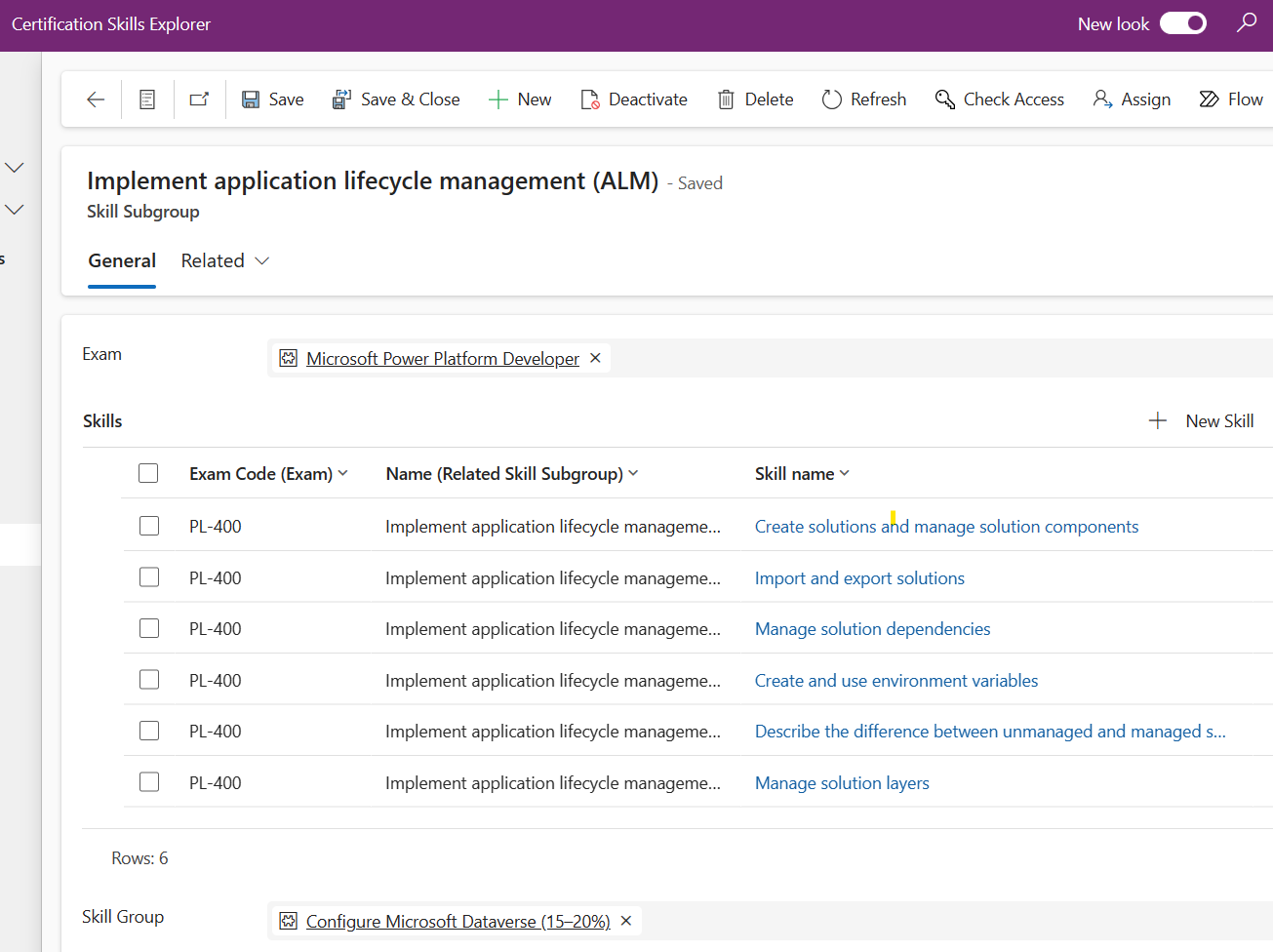
Just a few more sprints to go...